
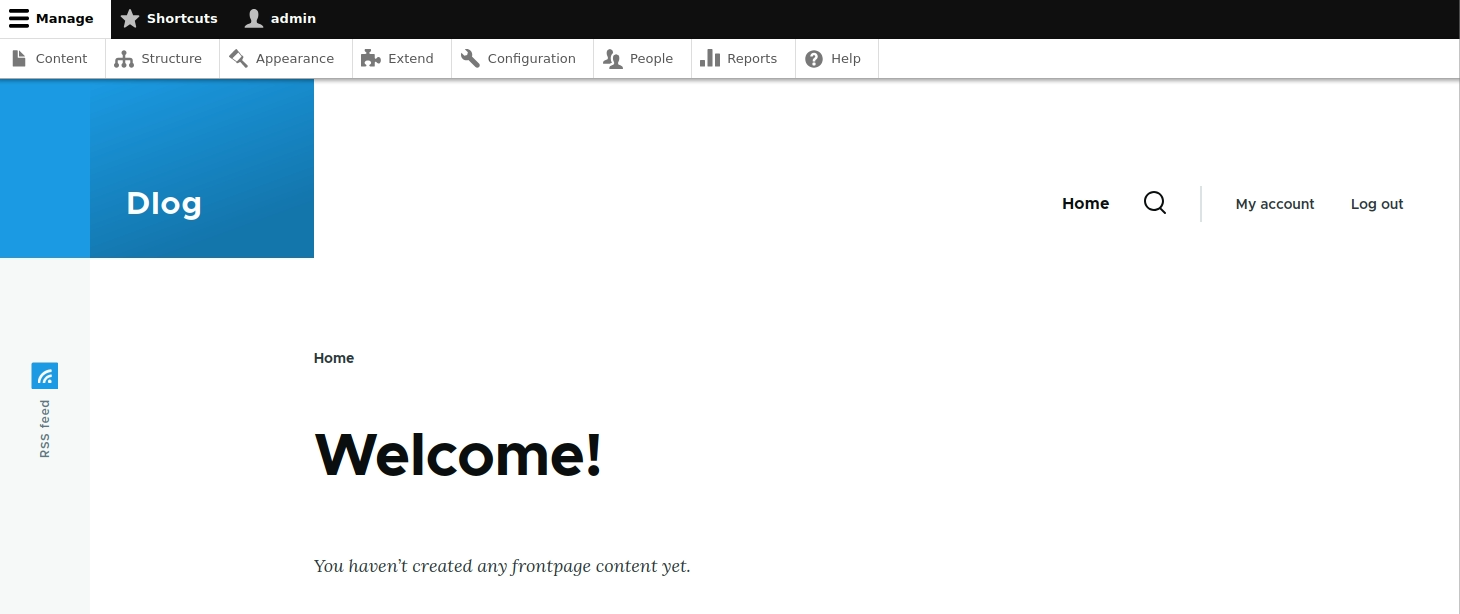
Знакомство со структурой админки Drupal 10
В следующем уроке мы установим ряд модулей для более удобной и продвинутой работы с друпал, а на данном шаге предлагаю ознакомится со структурой проекта как она есть из коробки без дополнительных модулей.
Content
Content - это страница где можно просмотреть список контента и добавить новый
по дефолту друпал создает два типа контента:
- Article
- Use articles for time-sensitive content like news, press releases or blog posts.
- Basic page
- Use basic pages for your static content, such as an 'About us' page.
в каждом из них есть свой набор полей, которые мы будем редактировать.
Structure
Structure - здесь расположена основная структура проекта
- Block layout
- Configure what block content appears in your site's sidebars and other regions.
- Block types
- Create and manage fields, forms, and display settings for your content blocks.
- Comment types
- Manage form and displays settings of comments.
- Contact forms
- Create and manage contact forms.
- Content types
- Create and manage fields, forms, and display settings for your content.
- Display modes
- Configure what displays are available for your content and forms.
- Menus
- Manage menus and menu links.
- Paragraph types
- Create and manage Paragraph types.
- Snippets
- Manage code snippets.
- Taxonomy
- Manage tagging, categorization, and classification of your content.
- Views
- Manage customized lists of content.
Appearance
Appearance - оформление сайта, здесь можно задать внешний вид для админки и фронтенда проекта.
Extend
Extend - на данной странице можно найти список модулей которые установлены или доступны для установки.
Configuration
Configuration - страница с основными конфигурациями сайта.
People
People - страница для просмотра и управления юзерами.
Reports
Reports - всевозможные отчеты о текущем состоянии проекта.
Добавить комментарий